Gaming Console Repair Butler & Currambine | ITech Savvy
Gaming Console Repair in Butler & Currambine – Professional PlayStation, Xbox & Nintendo Repairs at ITech Savvy
Gaming consoles have become an important part of everyday entertainment. Whether you enjoy playing PlayStation with friends, competing online on Xbox, or spending time with Nintendo games, your gaming console is more than just a device. For many people, it is a favourite way to relax, connect with friends and enjoy their free time.
But what happens when your gaming console suddenly stops working?
You might turn on your PlayStation and see no display on your television. Your Xbox might start overheating after a few minutes of gaming, or your controller might refuse to connect. Sometimes, the console may not turn on at all.
These problems can be frustrating, especially when you are looking forward to playing your favourite game.
At ITech Savvy / Butler / Currambine, we understand how important your gaming devices are. We provide professional gaming console repair services in Butler and Currambine, helping customers get their consoles back in working condition.
Our goal is simple: understand the problem, identify the cause and provide a suitable repair solution.
Why Is Professional Gaming Console Repair Important?
Modern gaming consoles are advanced electronic devices containing sensitive components, circuit boards, cooling systems and specialised connectivity chips.
A small issue can sometimes affect the entire gaming experience. For example, a damaged HDMI port can prevent your console from displaying anything on the television, even though the console itself may still be powering on.
Similarly, overheating can cause unexpected shutdowns, while internal hardware faults can prevent a console from starting properly.
Trying to repair these problems without the right experience and equipment can sometimes make things worse.
Professional diagnosis helps identify the actual fault instead of unnecessarily replacing working components.
At ITech Savvy, we focus on understanding the issue before recommending a repair.
Common Gaming Console Problems We Can Help With
Gaming consoles can develop different problems over time. Here are some of the common issues that may require professional attention.
- HDMI Port Repair
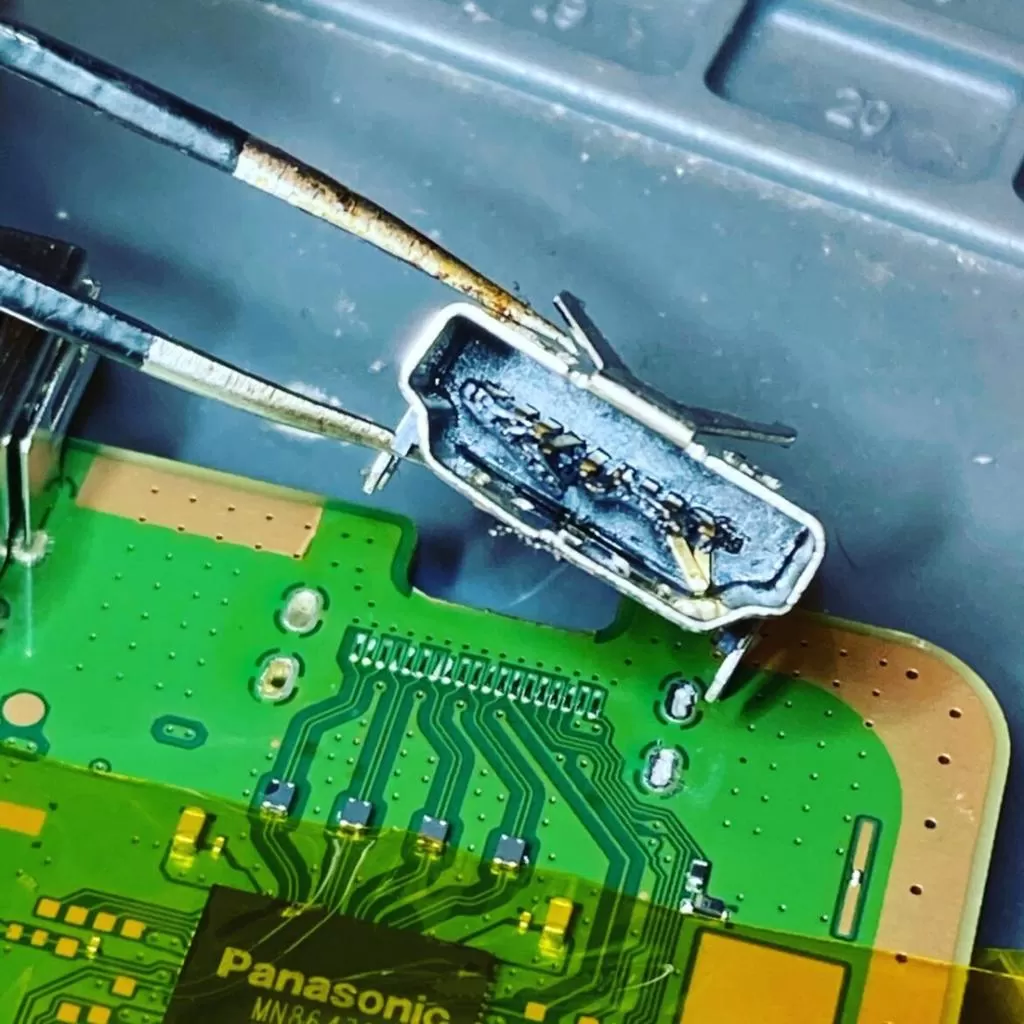
One of the most common gaming console problems is a damaged HDMI port.
The HDMI port connects your gaming console to your television or monitor. If it becomes damaged, loose or disconnected from the motherboard, you may experience:
- No signal on your television.
- A black screen even when the console is switched on.
- Intermittent display or flickering.
- A loose HDMI connection.
- Bent or damaged HDMI pins.
Sometimes, the problem is caused by accidentally pulling the HDMI cable, connecting it incorrectly or putting pressure on the port.
Our technicians can inspect the HDMI connection and determine whether the port requires repair or replacement.
- Gaming Console Not Turning On
Imagine sitting down to play your favourite game, pressing the power button and getting absolutely no response.
A console that refuses to turn on can have several possible causes, including:
- Power supply problems.
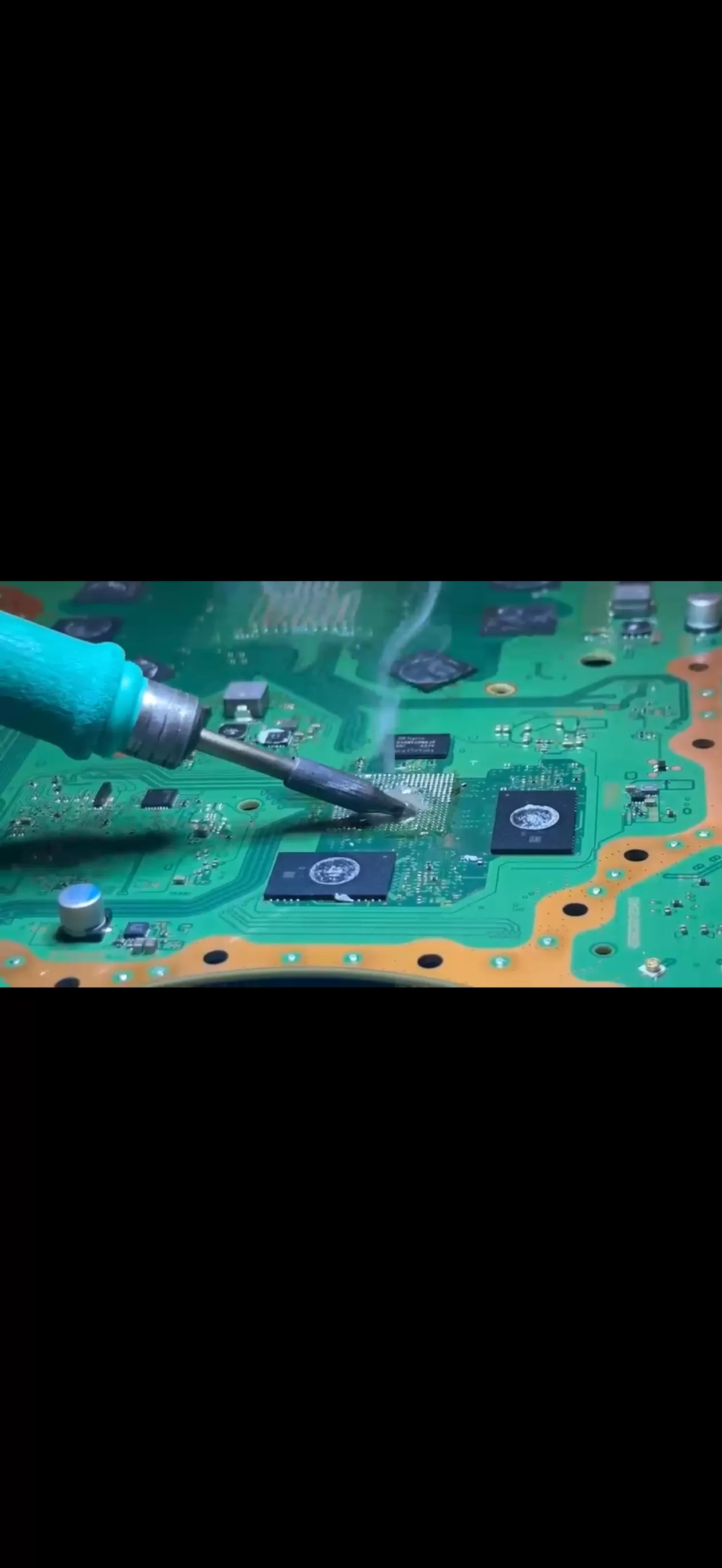
- Internal motherboard faults.
- Damaged power connectors.
- Short circuits.
- Faulty electronic components.
The important thing is not to assume that the entire console is damaged.
A proper diagnosis can help identify the faulty component and determine whether a repair is possible.
- Overheating and Cooling Problems
Gaming consoles generate heat, especially when running demanding games for extended periods.
Their internal cooling systems are designed to control temperature. However, dust accumulation, restricted airflow, cooling fan problems or thermal issues can affect performance.
Common overheating symptoms include:
- Console becoming unusually hot.
- Loud cooling fan noise.
- Unexpected shutdowns.
- Performance issues during gaming.
- Overheating warnings.
Ignoring these symptoms can potentially lead to further hardware problems.
Keeping the ventilation areas clean and allowing proper airflow can help reduce unnecessary heat. If the console continues overheating, professional inspection is recommended.
- Controller Connectivity Problems
A gaming controller that refuses to connect can quickly ruin your gaming experience.
You may experience problems such as:
- Controller not connecting to the console.
- Wireless connection dropping frequently.
- Controller not responding.
- Pairing problems.
- Charging or connection issues.
Sometimes the problem is related to the controller itself. In other cases, the issue may involve the console’s internal wireless connectivity components.
For example, a PlayStation 5 with a controller connectivity chip fault may require specialised motherboard-level diagnosis.
Identifying the actual cause is important before deciding which repair is required.
- Gaming Console Software and Startup Issues
Not every gaming console problem is caused by damaged hardware.
Sometimes, software errors, corrupted system data or unsuccessful updates can prevent the console from starting normally.
You might notice:
- Console stuck on the startup screen.
- System update errors.
- Repeated restarting.
- Games crashing unexpectedly.
- Console freezing during use.
Depending on the problem, a software troubleshooting procedure or system recovery may help.
Before performing a factory reset, always consider backing up important data wherever possible.
Which Gaming Consoles Can Be Repaired?
Different gaming consoles have different hardware designs and repair requirements.
At ITech Savvy, we assist customers with gaming console repair enquiries involving popular gaming systems, including:
PlayStation Repairs
- PlayStation 5 (PS5)
- PlayStation 4 (PS4)
- PlayStation 4 Pro
Common repair enquiries include HDMI port damage, power issues, overheating, connectivity problems and other hardware faults.
Xbox Repairs
- Xbox Series X
- Xbox Series S
- Xbox One
- Xbox One S and Xbox One X
Common issues include display problems, power faults, overheating and startup difficulties.
Nintendo Repairs
- Nintendo Switch
- Nintendo Switch OLED
- Other supported Nintendo gaming devices.
Repair availability depends on the particular model, fault and availability of suitable components.
Why Choose ITech Savvy for Gaming Console Repairs?
Choosing the right repair shop is important when your gaming console develops a problem.
You want someone who understands electronics, takes the time to identify the fault and explains the available repair options.
Here are some reasons to contact ITech Savvy.
- Professional Diagnosis
We focus on identifying the actual issue before recommending a repair. This helps avoid unnecessary replacements and gives you a clearer understanding of the problem.
- Experienced Electronics Repair Service
Gaming consoles contain complex electronic components. Our electronics repair service covers a range of device issues, including hardware and connectivity-related faults.
- Multiple Repair Services Under One Roof
Apart from gaming console repairs, ITech Savvy also provides repair services for mobile phones, laptops, iPads and tablets.
You can bring your different electronic devices to one convenient repair shop.
- Customer-Focused Service
We understand that every repair situation is different. We aim to explain the problem clearly and help customers understand their repair options.
- Convenient Local Service
If you live in Butler, Currambine or nearby suburbs in Perth, you can contact ITech Savvy about your gaming console repair requirements.
Should You Repair Your Gaming Console or Buy a New One?
This is a common question customers ask when their gaming console stops working.
The answer depends on the type of fault, the age of the console and the estimated repair cost.
For example, a damaged HDMI port may be repairable without replacing the entire console. Similarly, certain power or connectivity issues may be resolved by repairing individual components.
However, severe motherboard damage or multiple internal faults may make a repair less economical.
Before spending money on a new gaming console, it is worth getting your existing device professionally assessed.
A proper diagnosis can help you make an informed decision.
How Can You Take Care of Your Gaming Console?
Prevention is always better than dealing with unexpected repairs.
Here are some simple tips to help keep your gaming console in good condition.
Keep Your Console Well Ventilated
Avoid placing your console inside tightly enclosed cabinets. Make sure there is enough space around the ventilation openings for proper airflow.
Keep Dust Away
Dust can accumulate around cooling fans and ventilation areas. Clean the external surfaces regularly using suitable cleaning methods.
Handle HDMI Cables Carefully
Avoid pulling or twisting HDMI cables while they are connected. Rough handling can damage the HDMI port over time.
Use a Suitable Power Source
Use a reliable power outlet and avoid damaged power cables or unsuitable adapters.
Avoid Overheating
If your console becomes unusually hot or displays overheating warnings, stop using it and arrange an inspection.
Keep Your System Updated
Install official system updates when appropriate. Updates can improve stability and address certain software issues.
Following these simple steps can help maintain your gaming console and reduce the risk of some common problems.
Looking for Gaming Console Repair in Butler or Currambine?
If your PlayStation, Xbox or Nintendo console is not working properly, you do not necessarily need to replace it immediately.
The first step is to understand what is causing the problem.
At ITech Savvy / Butler, we are here to help with gaming console repair enquiries and other electronics repair needs.
Whether you are experiencing an HDMI port issue, a power problem, overheating, controller connectivity difficulties or another hardware fault, contact our team to discuss your device.
We welcome customers from Butler, Currambine and surrounding Perth suburbs.
Visit ITech Savvy / Butler
ITech Savvy Butler Central, Kiosk 2/175 Butler Blvd, Butler WA 6036, Australia.
Call us: 0420 460 560, 0411 651 085.
Website: https://i-techsavvy.com.au
You can also explore our other repair services, including mobile phone repairs, laptop repairs, iPad repairs and tablet repairs.
Final Thoughts
Your gaming console should be something you enjoy, not something that causes unnecessary frustration.
A damaged HDMI port, connectivity issue or unexpected shutdown does not always mean the end of your console. In many situations, identifying the problem early and choosing the right repair solution can help extend the life of your device.
If you are looking for gaming console repair services around Butler or Currambine, get in touch with ITech Savvy.
Let’s get your gaming experience back on track!
Need it looked at?
Butler Central & Currambine Central — open 7 days
Call us Find a storeSee everything we repair or check the FAQ.